Turnarounds and expression sheets

Character reference sheet maker for turnarounds and expressions

Get front, side and back views of your character in one wide image, with a row of expressions and a color palette, ready to hand to an artist or to keep beside your own drawings.

  • Front, side and back
  • Expression rows
  • 4K for detail
Up to 3 reference images (PNG, JPEG, WebP)
Try
Model
Aspect ratio
Resolution
Images

10 credits

Buy credits

At a glance

A character reference sheet shows one character from several angles, usually front, side and back, with expressions, color swatches and close-ups of key details. On OC Generator you describe your OC or upload a picture of them, ask for the views you need in a 16:9 or 4:3 image, and Seedream 4.5 draws the sheet in 2K or 4K for 10 credits. Check every view: AI can change small details between angles.

Typical contents
Front, side and back views; expressions; palette
Best shapes
16:9 or 4:3, at 4K for detail
Price per image
10 credits with Seedream 4.5, 20 with Nano Banana 2
Cost in dollars
About $0.09–$0.12 per Seedream 4.5 image and $0.18–$0.25 per Nano Banana 2 image, by plan or pack; the smallest purchase is $4.99 for 400 credits
Reference images
Up to 3 PNG, JPEG or WebP files, 10 MB each
Account
Free to sign up; images use purchased credits
Known limit
Small details can differ between views

Everything an artist asks for

  • 01

    Turnarounds in one image

    Ask for front, three-quarter, side and back views side by side on a plain background, so the proportions line up.

  • 02

    Expression sheets

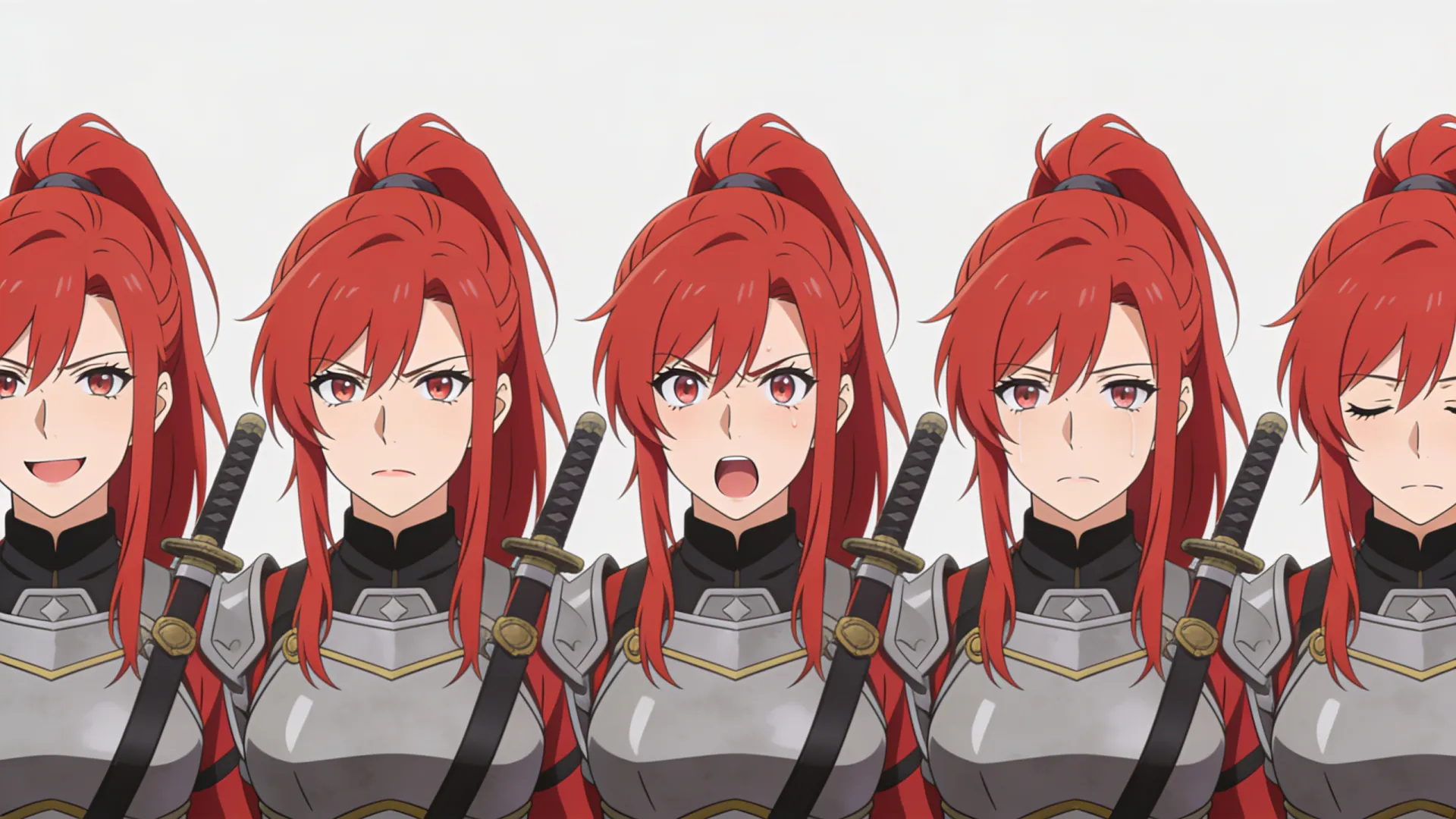
    A row of heads showing the character happy, angry, surprised, sad or sleepy keeps their personality consistent.

  • 03

    Palette and details

    Add color swatches and close-ups of a badge, a weapon or a tattoo, so small details are on record.

  • 04

    From your own design

    Upload up to 3 images of your OC and use Nano Banana 2 to build the sheet from your design instead of a new one.

  • 05

    Wide and sharp

    16:9 and 4:3 fit several views, and Seedream 4.5 at 4K keeps each view detailed.

How to make a reference sheet

  1. 01

    Settle the design

    Make or upload one image of your character that you are happy with.

  2. 02

    Ask for the sheet

    Name the views, expressions and swatches you want, and choose 16:9.

  3. 03

    Check every view

    Compare details across the angles and regenerate if something changed.

What goes on a character reference sheet

A reference sheet is the one image an artist checks before drawing a character. It answers the questions a single portrait leaves open: what the back of the outfit looks like, how tall they are, which side the scar is on and which exact colors to use.

  • Turnaround: front, side and back views, sometimes three-quarter views, at the same scale.
  • Expressions: four to six heads with different emotions.
  • Color palette: swatches for skin, hair, eyes and the main outfit colors.
  • Details: close-ups of jewelry, weapons, tattoos or patterns.
  • Notes: height, name and a short description, added afterwards in an image editor.
Prompts that give clean sheets

These habits make sheets easier to read and reuse:

  • Start with “character reference sheet” or “turnaround”, then name the views.
  • Say “same outfit and colors in every view” and “plain white background”.
  • Use 16:9 for three or four full-body views, 4:3 for fewer views.
  • Ask for flat colors and even light; dramatic lighting hides details.
  • Leave text out and add names and notes in an image editor.

Limits to know

The model draws all the views at once, so a pocket, a stripe or an earring can move or vanish between angles, and hands and small accessories are the most common problems. Check the sheet closely, regenerate when needed, and fix small differences by hand before you send it to anyone.

When you commission an artist, a clear sheet saves rounds of questions. Artists set their own rules, and some prefer sketches to AI-made references, so ask before you send one.

Character reference sheet FAQ

What is a character reference sheet?

A character reference sheet is one image that shows a character from several angles, usually front, side and back, often with expressions, color swatches and close-ups, so anyone drawing the character keeps it consistent.

Which aspect ratio should I use?

Use 16:9 for three or four full-body views in a row, 4:3 for two or three views with an expression row, and 3:4 for a single full-body view with close-ups. 4K with Seedream 4.5 keeps each view sharp.

Can I make a reference sheet from my own drawing?

Yes. Upload up to 3 images of your character, such as a sketch or a colored drawing, choose Nano Banana 2 and ask for a turnaround of that character.

Will every view match exactly?

Not always. Small details such as pockets, jewelry or patterns can change between views. Generate a few versions, keep the most consistent one and touch up the rest by hand.

Can it add names and labels?

It can try, but short labels may come out misspelled or oddly placed. For clean sheets, ask for no text and add names, heights and notes afterwards in an image editor.

Make your OC's reference sheet

Sign up free, add credits and get every angle of your character in one image.

Last updated October 29, 2026

Create your free account